Windows 11 update makes 8GB PCs faster with 2GB more app RAM
Microsoft has rolled out a Windows 11 update that it says makes the operating system up to 20 per cent more responsive, with the biggest gains on PCs that have 8GB of RAM. These machines can now keep up to 2GB more active data in memory instead of moving it to slower storage.
They touch Start, Search, File Explorer, Settings, the Snipping Tool and right-click menus, ProPakistani reported. Microsoft says the 20 per cent figure comes from its own response-time testing, and does not mean every task will run that much faster.
What the Windows 11 update changes
The headline change is memory management: on 8GB PCs, Windows now keeps up to 2GB more active data in memory, which should cut the stutter when switching between open apps and tabs.
Navjot Virk, corporate vice president of Windows experiences at Microsoft, said the work was about using memory more smartly. “We’ve improved memory management and efficiency across Windows to help keep more of your PC’s resources focused on what you’re actively doing,” he said.
Widgets have also changed on machines with 8GB of RAM or less. They now load only when you open them, which frees more than 200MB of memory for apps and other work. If your phone still feels slow too, our guide on how to speed up a slow Android phone covers similar tricks for mobile.
Why 2GB more RAM matters
When RAM runs short, Windows moves inactive app data to your drive, which is far slower than memory. Fetching it back causes the pauses you notice when jumping between a browser, a document and a chat window. Keeping 2GB more of that data in RAM means less of this shuffling, and a machine that feels noticeably smoother.
8GB remains common on budget laptops and office desktops, so these machines should see the most visible difference. Microsoft has said the changes are rolling out across different Windows 11 builds, so timing will vary by device, region and Windows version. Users in Pakistan will receive them through the normal phased Windows Update rollout.
Back up important files first: updates do not always go smoothly, as Samsung’s One UI 9 bricking some Galaxy A57 phones at setup showed.
The taskbar can finally move again
Microsoft is restoring control over the taskbar that Windows 11 removed at launch. Users can now place it at the top, bottom, left or right of the screen. Most existing taskbar options keep working in the new positions, though some features stay limited depending on placement.
A new small taskbar option shrinks the taskbar and its icons to free up screen space, and the Start menu gains sizing options and controls for hiding sections. FoneArena has a full breakdown of the update.
Photos app, Search and phone links get faster
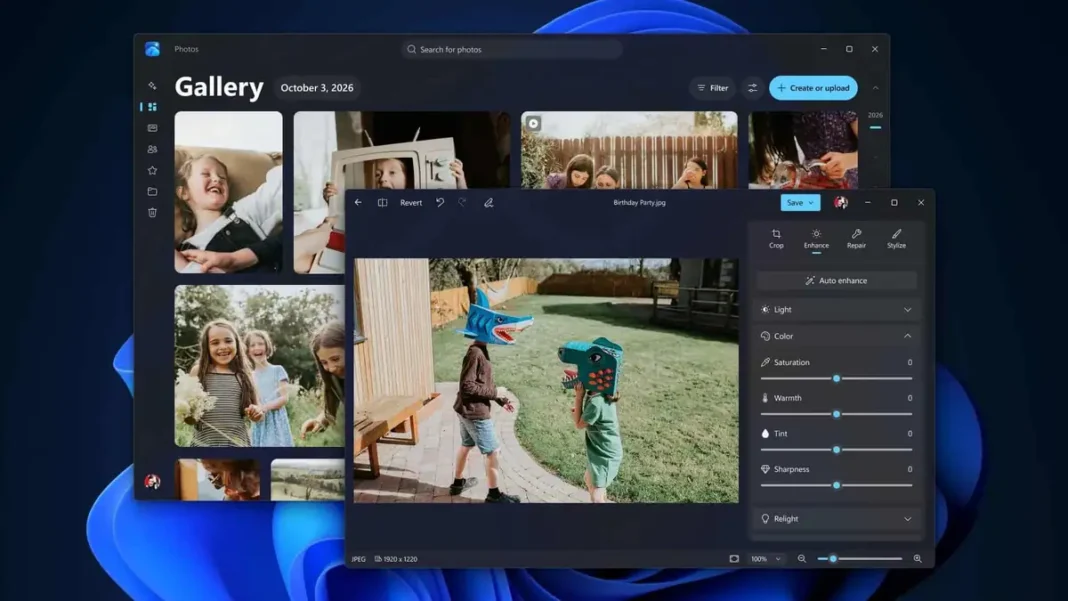
The Photos app gets a redesigned Gallery, Viewer and Editor that Microsoft says launches up to 20 per cent faster, with cropping, colour adjustments, object removal and Relight.
Windows Search is being reworked for better speed and lower memory use, with direct actions from results and deeper phone integration planned. It is currently with Windows Insiders and will roll out more broadly later this year.
Phone-to-PC links are improving too: users can preview phone messages from Start, answer calls, run Android apps in resizable windows and get a PC notification when they take a photo on their phone.
Windows Update will coordinate updates better, with fewer restarts and shorter install times. Bluetooth pairing is more reliable, AirPods pairing is up to 15 seconds faster, and Windows Hello sign-in is faster too. Pair the upgrade with good security habits, such as creating strong passwords you can remember.
PC gamers should feel the difference too, with demanding titles like Forza Horizon 6 among those that benefit from a smoother system.
Frequently asked questions
Will the Windows 11 update make my PC 20% faster?
Not exactly. The 20% figure comes from Microsoft’s own tests of everyday tasks, with the biggest gains on 8GB PCs.
How do I get the Windows 11 update?
They are rolling out through Windows Update across different builds; check Settings, then Windows Update.
Can I move the taskbar in Windows 11 now?
Yes. The update lets you place the taskbar at the top, bottom, left or right of the screen, a feature missing since Windows 11 launched.
Does the update help PCs with more than 8GB of RAM?
Microsoft says the memory improvements make the biggest difference on 8GB machines, but the wider responsiveness work across Start, Search and File Explorer benefits all PCs.