Pakistani pensioners no longer need to repeatedly visit a bank just to prove that they are alive.
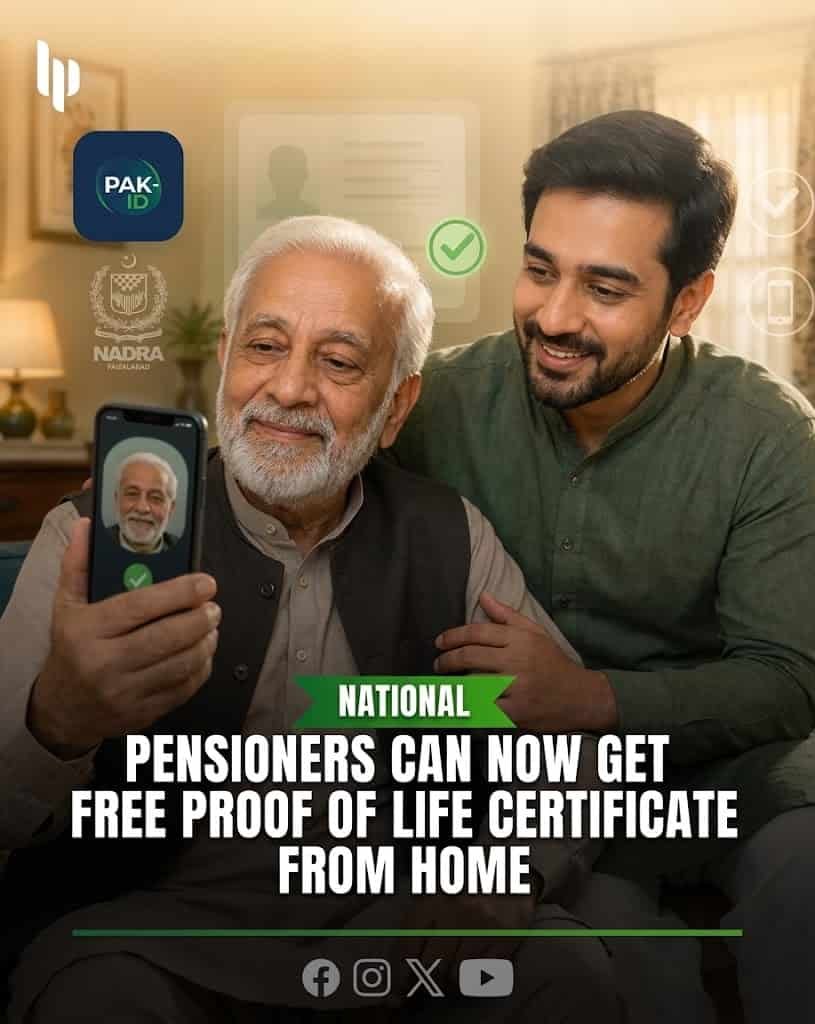
NADRA has introduced a digital Proof of Life Certificate service that allows eligible pensioners to complete the verification process from home through the official PakID mobile app.
The service is completely free and can particularly help elderly pensioners, people with disabilities, bedridden retirees and those who find repeated visits to banks or government offices difficult.
The system officially launched on August 20, 2026. Within only one month, more than 337,000 pensioners had already obtained their Proof of Life Certificates.
More importantly, 174,906 of them — around 52% of all users — completed the process from home through PakID.
The change removes one of the biggest frustrations faced by pensioners.
Previously, many retirees had to visit their bank periodically for biometric verification. Older people often faced another problem: fingerprints can become faint with age, making biometric machines unable to verify them.
The new system gives pensioners another way to verify their identity through facial recognition and NADRA’s digital records.
Once NADRA successfully issues the certificate, the system sends it electronically to the relevant pension controller. That means the pensioner does not need to print the certificate and personally submit it to a bank.
Here is exactly how the service works and where you can apply.
What Is a Proof of Life Certificate?
A Proof of Life Certificate, sometimes called a life certificate, is an official confirmation that a pensioner is alive and remains eligible to receive pension payments.
Pension authorities use this verification to prevent payments from continuing after the death of a pensioner and to protect public money from fraudulent claims.
For genuine pensioners, however, the old verification process could become inconvenient.
Older citizens sometimes had to travel long distances.
People with mobility problems depended on family members to take them to banks or government offices.
Others faced repeated fingerprint-verification failures.
NADRA’s new digital system attempts to solve these problems by connecting pension verification directly with its identity database.
The service covers pensioners linked with federal and provincial government institutions as well as the armed forces and participating public-sector pension authorities. NADRA has also expanded the underlying system to a number of public bodies and institutions.
Overseas Pakistani pensioners can also benefit from remote verification, according to official reporting on the system.
Is the NADRA Proof of Life Certificate Free?
Yes.
NADRA has made the Proof of Life Certificate free of charge for pensioners.
There is no application fee for obtaining the certificate through PakID.
The free facility also extends to the assisted service channels announced by NADRA, including NADRA Registration Centres and e-Sahulat locations.
Therefore, pensioners should be cautious if someone demands money for simply issuing the official Proof of Life Certificate.
Always use NADRA’s official app or an authorised NADRA service channel.
Where to Apply From Home
There is no separate website form that pensioners need to complete for the home Proof of Life service.
The digital application takes place through NADRA’s official PakID mobile application.
Android users can download the official app here:
Download PakID from Google Play
The Google Play listing identifies the developer as the National Database & Registration Authority and confirms that PakID supports biometric verification and other NADRA digital services.
iPhone users can download it here:
Download PakID from Apple App Store
The App Store also identifies NADRA as the official developer.
You can learn more about the application through NADRA’s official website:
Official NADRA PakID Information
NADRA describes PakID as its official mobile platform for identity registration, verification, document management and related digital services.
How to Get Proof of Life Certificate Through PakID
The first step is to install the PakID application on a smartphone.
Open the app and sign into your existing PakID account.
If you have never used PakID before, you can create an account using your identity details, mobile number and email address. NADRA’s account setup process includes OTP and identity-verification steps.
After logging in, open the section for biometric services and select the Proof of Life option.
The app then allows the user to indicate whether the certificate is for themselves or an eligible family member.
If the pensioner is completing the process personally, select Myself.
If an eligible relative is assisting the pensioner, the family-related option can be used instead.
Reports based on NADRA’s application instructions say a spouse, son, daughter, parent, brother or sister can assist through their PakID account, subject to identity verification. The pensioner still needs to be present during biometric verification.
Review the pensioner’s identity information carefully before continuing.
The application will then guide you through biometric verification.
Follow the on-screen instructions for facial verification and position the pensioner’s face correctly in front of the smartphone camera.
Good lighting is important.
Avoid standing with a bright window directly behind the person because strong backlighting can make facial recognition more difficult.
The app may also guide the user through fingerprint verification.
One of the biggest advantages of the new service is that NADRA can use facial recognition when ageing, damaged or faded fingerprints make traditional biometric verification difficult.
Once the verification succeeds, submit the request.
NADRA processes the digital verification and issues the Proof of Life Certificate.
Where Can You Find the Certificate After Applying?
After successful processing, the digital Proof of Life Certificate can become available inside PakID.
According to the published PakID procedure, users can open ID Vault, select My Documents, and look for the POLC folder.
POLC stands for Proof of Life Certificate.
The certificate can then be accessed digitally from the app.
However, pensioners normally do not need to download and carry the document to their bank.
NADRA says the system automatically sends the certificate to the relevant pension controller after successful verification.
That automated process represents one of the biggest improvements in the new system.
The pensioner verifies their identity.
NADRA generates the certificate.
The pension authority receives confirmation electronically.
The pensioner therefore avoids another physical visit just to submit paperwork.
How Long Does the Proof of Life Verification Remain Valid?
NADRA’s official guidance says successful verification allows pension payments to continue for the next six months.
After the relevant verification period ends, the pensioner may need to complete Proof of Life requirements again according to the rules of their pension authority.
This is important because the new digital system has not necessarily eliminated the requirement to periodically confirm life status.
Instead, it has made completing that requirement much easier.
The process that previously required a bank visit can now be completed from home.
Can a Family Member Apply for an Elderly Pensioner?
Yes.
This is one of the most useful parts of the system.
NADRA says an immediate family member can process the Proof of Life Certificate through their own PakID account when the pensioner cannot comfortably use the application themselves.
This could help an elderly parent who does not own a smartphone or does not understand mobile applications.
For example, a son or daughter may open PakID on their own phone and use the family-member option.
However, the pensioner must still participate in identity verification.
A family member cannot simply complete biometric verification while the actual pensioner is somewhere else.
The pensioner’s face and, where required, biometric information must be verified.
This protects both the pensioner and the pension system from identity misuse.
What If the Pensioner’s Fingerprints Do Not Work?
Fingerprint failure is one of the main problems that encouraged the introduction of the new system.
Fingerprints may become difficult to read with age.
Manual labour, medical conditions or damage to the fingers can also affect biometric recognition.
NADRA’s newer verification system supports facial recognition for cases where fingerprints are faint or cannot be successfully matched.
Therefore, a pensioner should not assume that failed fingerprints mean their pension must stop.
The PakID process can use facial recognition as part of identity verification.
The government has also stated that banks should not stop pension payments merely because an elderly person’s fingerprints cannot be successfully verified when the new system provides another legitimate verification route.
What If You Do Not Have a Smartphone?
Using PakID from home is the easiest option for many people, but it is not the only option.
NADRA has created several assisted channels for pensioners who cannot use the app.
The Proof of Life Certificate can also be obtained from NADRA Registration Centres, authorised e-Sahulat franchises and participating Union Councils.
NADRA said at the launch that the service was available through more than 5,000 e-Sahulat franchises, over 988 NADRA Registration Centres, and around 500 Union Councils.
Pensioners visiting these locations receive priority service rather than having to remain in the normal queue, according to NADRA’s announcement.
You can use NADRA’s official website to find service locations:
The official NADRA site provides a location service for NADRA Registration Centres, Mobile Registration Vans and e-Sahulat facilities.
What About Pensioners Who Cannot Leave Home at All?
NADRA has also announced additional assisted services for people with serious mobility problems.
These include Mobile Registration Vans, biker services and ManPack registration facilities that can serve citizens who have limited ability to reach normal service locations.
Availability can depend on area and service arrangements.
Families caring for a bedridden or severely disabled pensioner should contact NADRA before travelling anywhere to ask which option is currently available in their location.
Does the Pensioner Still Need to Visit the Bank?
Normally, not for submitting the Proof of Life Certificate after successful digital verification.
The new system automatically transmits the issued certificate to the relevant pension controller.
This means pensioners no longer need to complete the digital process and then make another journey simply to hand the paper certificate to their bank.
That is particularly useful for people receiving pensions through branches far from their homes.
However, pensioners should remember that a bank visit may still become necessary for an unrelated banking issue.
The Proof of Life system removes the routine physical visit specifically connected with life verification.
Can Overseas Pakistani Pensioners Use the System?
Yes, the digital service has also been extended to overseas Pakistani retirees, according to official reporting on NADRA’s National Pension Verification System.
That means eligible pensioners living abroad can complete remote identity verification without returning to Pakistan simply for Proof of Life requirements.
For overseas pensioners, the PakID app becomes particularly useful because it avoids international travel merely for routine pension verification.
They should make sure their NADRA identity records remain valid and that the relevant pension authority participates in the digital system.
What Do You Need Before Starting?
Before opening PakID, keep the pensioner’s valid identity information available.
Make sure the smartphone has a working front camera and a stable internet connection.
The person completing the PakID process should also have access to the mobile number and email associated with their account because NADRA can use OTP verification during account setup or security checks.
If a relative is assisting, make sure the pensioner is physically present.
Choose a well-lit room for facial verification.
Also make sure the camera lens is clean.
Small practical steps like these can reduce failed verification attempts.
What If PakID Does Not Work?
If the app crashes, biometric verification repeatedly fails, or the Proof of Life option does not work correctly, use NADRA’s official customer-support channels.
Mobile users can call 1777.
You can also call +92 51 111 786 100.
NADRA lists its official support email as csd@nadra.gov.pk and also provides a complaint system and live assistance channels.
Official NADRA support is available here:
Avoid giving your PakID password, OTP, banking PIN or other sensitive credentials to someone claiming that they can “speed up” the process.
A genuine NADRA representative should not need your personal banking PIN or account password.
Why This Change Matters for Pakistani Pensioners
The scale of adoption shows why the service matters.
Within roughly one month of launch, more than 337,000 pensioners obtained Proof of Life Certificates.
More than half used PakID from home.
Another 134,521 pensioners used NADRA Registration Centres, while 24,248 used e-Sahulat centres and 3,585 used mobile registration vans.
Those numbers show that digital pension verification is not merely a small pilot.
It is already being used by hundreds of thousands of retirees.
For an elderly pensioner, the difference can be significant.
Instead of arranging transport, travelling to a bank, waiting in line and repeatedly trying a fingerprint scanner, the pensioner may now complete verification while sitting at home.
For families caring for an elderly parent, it also removes a recurring administrative burden.
For overseas pensioners, it may eliminate an even bigger problem.
Official Links You Should Use
The safest way to apply is through NADRA’s official PakID app.
PakID for Android — Google Play
PakID for iPhone — Apple App Store
For the digital Proof of Life Certificate itself, apply inside the PakID mobile app. There is currently no separate public web application form required for the home-based process.
Final Word
Pakistan’s new digital Proof of Life system can remove one of the most frustrating requirements faced by pensioners.
The service is free.
It can be completed from home.
A family member can help an elderly pensioner.
Facial recognition provides an alternative when fingerprints become difficult to verify.
Most importantly, NADRA sends the completed certificate directly to the relevant pension controller, reducing the need for another trip to the bank.
For pensioners who cannot use a smartphone, NADRA Registration Centres, e-Sahulat franchises, Union Councils and mobile services remain available.
If you or an elderly family member receives a government or participating public-sector pension, installing PakID and learning this process could save a difficult journey every time Proof of Life verification becomes due.
Start with the official app:
NADRA has introdu