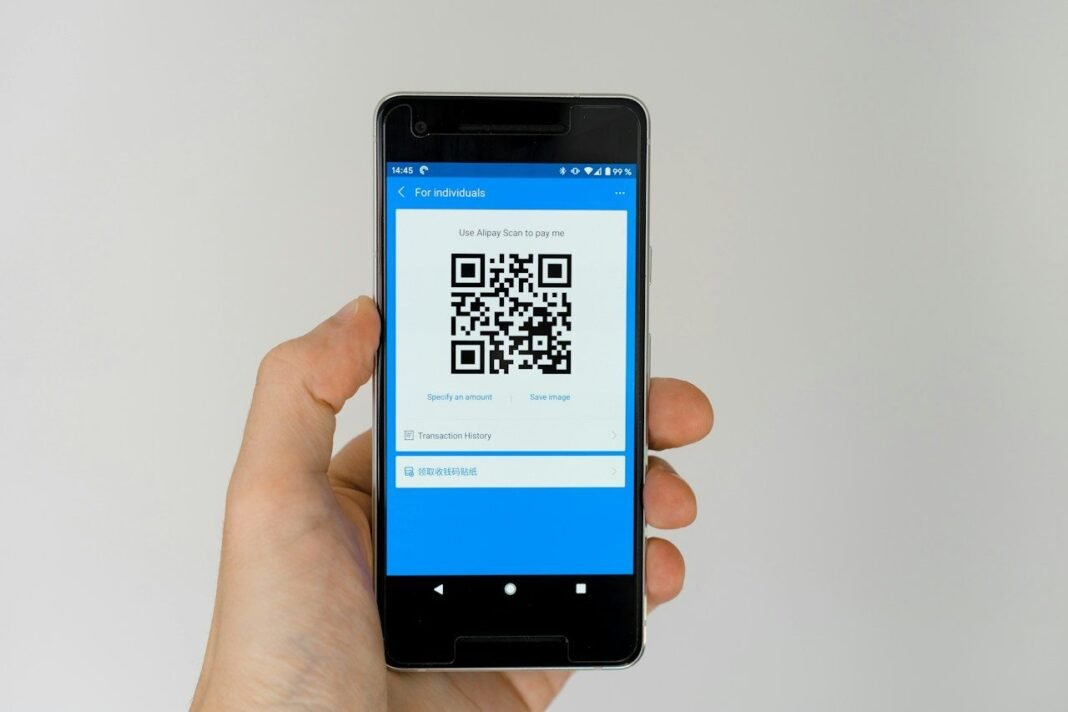
Learning how to scan a QR code takes less than a minute. Every modern phone camera already reads these square codes. In addition, QR codes open menus, payments, and Wi-Fi in seconds. This guide explains how to scan a QR code anywhere.
No special app is needed on current iPhone or Android phones. The built-in camera quietly recognises codes and shows a link. As a result, scanning feels instant once you know the trick. Older phones, however, may need one extra step or app.
Follow the steps for your phone in the sections below. Moreover, read the safety section before scanning codes in public. Finally, practise on the code in a restaurant menu today. One scan, in short, teaches your hands the whole habit.
How to Scan a QR Code on iPhone
Open the Camera app and point it at the code. Hold steady for two or three seconds without tapping, meanwhile. A yellow frame and a notification link appear on screen. In fact, the iPhone reads most codes almost instantly.
Tap the notification to open the linked page or action. If nothing appears, check that code scanning is enabled first. Open Settings, tap Camera, and switch on Scan QR Codes, for example. Dim light, consequently, is the other common reason for failure.
How to Scan a QR Code on Android
Most Android cameras work the same simple way today. Open the camera, frame the code, and wait for the banner. Samsung phones may show a small QR icon to tap, instead. Pixel phones, in addition, offer a dedicated mode in the camera.
Google Lens gives every Android phone a reliable backup route. Open Lens from the camera or the Google app directly. Point it at the code and tap the link shown, meanwhile. Our guide to finding saved Wi-Fi passwords shows one clever QR use. Lens, as a result, also reads codes from saved photos.
Scanning Codes from a Photo or Screenshot
Codes inside saved images can also be scanned easily. On iPhone, open the photo and long-press the code itself. A menu appears with the link ready to open, for instance. Live Text, indeed, recognises codes in screenshots and photos alike.
On Android, open the image inside Google Photos instead. Tap the Lens button and the code resolves within seconds, however. The Google Lens help page explains photo scanning in more detail. This trick, in other words, rescues codes friends send you.
Everyday Uses: Wi-Fi, Payments, and Menus
- Join home Wi-Fi by scanning the router share code.
- Open restaurant menus without touching shared paper copies.
- Pay at shops where the payment app supports codes.
- Add contacts and event details with one quick scan.
- Verify tickets and boarding passes at entry gates.
Home Wi-Fi codes make guest access painless and private. Android phones generate the code straight from Wi-Fi settings, meanwhile. Guests scan it and join without hearing the password aloud. Hosts, consequently, keep the real password completely secret.
Stay Safe When You Scan a QR Code in Public
Criminals sometimes paste fake codes over real ones in public. Check that a code looks original, not a sticker on top. After scanning, read the link address before you tap it, in addition. Our phishing explainer shows how fake pages steal details.
Never enter bank or password details after a random public scan. Parking and charging scams use codes to reach payment pages, in fact. If a code demands urgent payment, stop and verify elsewhere, for example. Caution, finally, takes five seconds and prevents real losses.
Frequently Asked Questions
Why will my camera not recognise a QR code?
Poor light, glare, or a shaky hand causes most failures. Clean the lens, add light, and move slightly farther away, though. A damaged or tiny printed code may never scan well, indeed. Typing the short link manually, instead, always works as backup.
Do I need an app to scan QR codes?
No, modern phones read codes with the built-in camera alone. App stores still sell scanners, but most add adverts only, meanwhile. Avoid random scanner apps that ask for odd permissions, for instance. Built-in tools, in other words, are safer and faster.
Can a QR code install a virus by itself?
A code is only a link, so it cannot infect alone. The danger starts when a fake page asks for downloads or details, however. Close any page that feels rushed, pushy, or badly written. Our phishing warning signs guide helps you judge such pages. Awareness, consequently, is your strongest protection here.
QR codes now sit on every table, till, and ticket. Scanning them confidently, in short, makes daily life smoother. Try one today and the habit is yours forever.