You may have seen the Facebook ad. It promises free voice generation with frontier AI models. It reads: “Generate with AudioLab — free voice generator, frontier AI voice models at no cost.” The claim sounds almost too good to be true, so we tested the app behind the ad. This AudioLab App Review covers what it is, what it does, and how long it actually stays free.
AudioLab App Review: What the App Is
AudioLab is an Android audio editor by HitroLab, a developer based in India. Its full Play Store name is “AudioLab Audio Editor Recorder & Ringtone Maker.” The package name is com.hitrolab.audioeditor. The app requires Android 8.0 or higher.
AppBrain reports more than 40 million installs. The app holds a 4.66 to 4.7-star rating from roughly 320,000 to 335,000 reviews. Version 1.3.33 arrived on October 3, 2026. HitroLab still updates the app regularly. This AudioLab App Review found the latest release fresh at the time of writing.
Under the hood, AudioLab uses FFmpeg under the LGPL license. It also uses the Superpowered SDK. These engines give a mobile app unusual audio power. For the official listing, see AudioLab on the Google Play Store.
Key Features and the Free Voice Generator
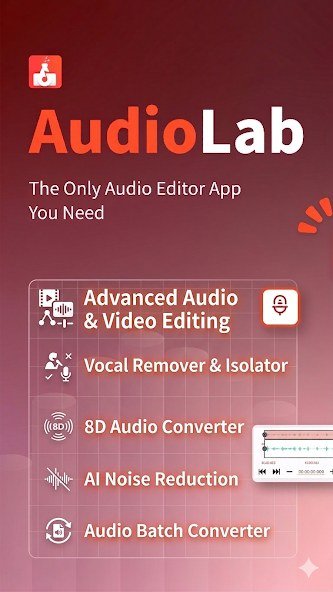
AudioLab is more than a voice generator. It packs a full audio toolkit:
- Audio trim, cut, split and merge — including a dedicated MP3 cutter for songs and voice clips
- 4-track music mixer with DJ effects and filters for making remixes
- Voice recorder and voice changer
- Text-to-speech (AI voice generator) — turn typed text into AI voice audio. This is the feature the Facebook ad promotes
- Vocal remover and isolator — strip vocals from a track for karaoke, or isolate them
- AI noise and silence reduction for cleaning up recordings
- Ringtone maker — cut any audio and save it as a ringtone, alarm or notification tone
- Video-to-audio converter, audio format converter and tag editor
- Volume booster, 3D/spatial audio effects and batch editing (convert or mix multiple files at once)
The home screen presents these tools as a clear dashboard. Moreover, every edit offers instant preview, so you hear each change as you make it. You therefore test ideas without exporting files first.
The Facebook ad promotes the text-to-speech tool, and this AudioLab App Review confirms the feature is real. You type or paste text, pick a voice, and generate spoken audio. For example, creators use it for video voiceovers, podcast intros, or narration. As a result, it also suits anyone who wants articles read aloud.
To use the voice generator, follow these steps:
- Install and open AudioLab.
- From the tools dashboard, choose Text to Speech.
- Type or paste the text you want spoken.
- Pick a voice from the available options.
- Tap generate, preview the result, then save or share the audio file.
For more AI tools, see our list of the 15 best free AI tools for content creators in Pakistan.
Pricing: How Long Does It Stay Free?
The app is free to download and free to use, including the voice generator. There is no trial period after which it stops working. We found no published time limit, expiry date, or character cap on the free voice feature.
However, the free tier runs on advertising. The free version shows ads, and that is how HitroLab funds the app. In addition, in-app purchases and PRO features unlock its full power. We could not verify the exact PRO price from official sources, so we do not quote one here.
Still, one reviewer noted that a Google Play Pass subscription ($4.99/month) removes ads and in-app purchases. In short, this AudioLab App Review finds “free” means the ad-supported tier with no verified expiry. Expect to pay only for an ad-free experience or the advanced PRO tools.
Our Verdict
Before installing, consider a few caveats. The Play Store listing says the app may share location, app activity, and device IDs with third parties. It may also collect location, app activity, and two other data types. Meanwhile, data travels encrypted, and you can request deletion.
Furthermore, one voice-actor reviewer found that AI denoising needs clips longer than 10 seconds. Finally, do not confuse AudioLab with Audialab (audialab.com, AI music plugins) or AI Voice Lab (web-based text-to-speech tools).
In short, this AudioLab App Review confirms the app is genuine. It is a capable, well-reviewed, all-in-one audio editor that includes a free AI voice generator. With 40 million installs and a 4.7-star rating, it ranks among Android’s most trusted audio tools. If you tolerate ads, you may never pay. If ads bother you, that is the trade-off to weigh.
Frequently Asked Questions
AudioLab App Review: Is AudioLab Really Free?
Yes. It is free to download and use, supported by ads. PRO features and in-app purchases exist for an ad-free, full-power experience.
AudioLab App Review: How Long Is the Voice Generator Free?
This AudioLab App Review found no verified time limit or expiry. The voice generator works inside the free, ad-supported tier. Heavy or professional use may need the paid upgrade.
Where is the safest place to download AudioLab?
The Google Play Store. Search “AudioLab” by HitroLab — package com.hitrolab.audioeditor — on Android 8.0 or higher. Avoid unofficial APK sites when possible.