

Your phone goes everywhere with you, so it picks up fingerprints, dust, pocket lint, and germs along the way. A dirty screen is hard to read, a clogged speaker sounds muffled, and a blocked charging port can stop your phone from charging at all. The good news is that cleaning it takes only a few minutes, and you probably already have what you need. This guide shows you how to clean your phone the right way, from the screen to the speakers and the charging port, without damaging anything.
How to Clean Your Phone: Before You Start
Before you clean anything, unplug your phone and turn it off. Take it out of its case too, because dirt hides between the case and the phone. You need only two things: a soft, lint-free cloth, such as a microfibre cloth or a glasses cloth, and a dry, soft-bristled brush, such as a clean makeup brush or a soft toothbrush. Keep water away from every opening, and never spray anything directly onto the phone. If you follow those two rules, you will not go wrong.
Also check what your phone is made of. Most screens have an oil-repellent coating that keeps fingerprints away. Harsh cleaners and rough cloths wear that coating down, and they can scratch the glass. So the gentlest method is usually the best one. Start with a dry cloth, and only add moisture if the dirt stays put.
How to Clean Your Phone Screen the Safe Way
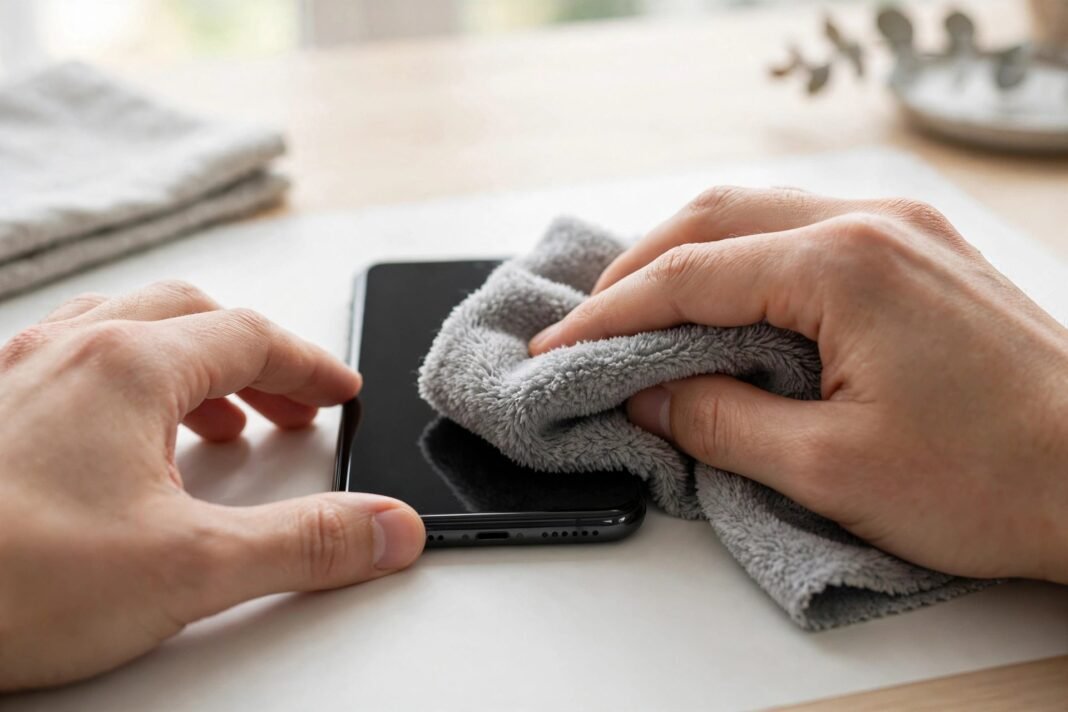
Start with a dry, soft, lint-free cloth. Wipe the screen in light, straight strokes from top to bottom. Most fingerprints come off with this alone, so do not press hard. If smudges remain, dampen one corner of the cloth slightly with water and wipe again. Then dry the screen with the dry part of the cloth. That is all a normal clean needs.
Do not use paper towels, tissues, or rough cloths. They feel soft in your hand, but they can scratch the glass and wear down the oil-repellent coating. Also do not use window cleaner, household cleaner, or kitchen spray. These products strip the coating and can damage the screen. If your phone has been in contact with sand, makeup, soap, sunscreen, or food, clean it straight away, before the dirt has time to dry on.
Can You Use Alcohol Wipes on Your Phone?
Yes, but only the right kind. Apple says you can gently wipe the outside of an iPhone with a 70% isopropyl alcohol wipe, a 75% ethyl alcohol wipe, or a disinfecting wipe. Samsung says a cloth with an alcohol-based disinfectant, such as 70% isopropyl alcohol, can be used too. After wiping, finish with a soft cloth slightly damp with water. Check the expiry date on the wipes first, and do not use expired ones.
However, there are limits. Do not use products containing bleach or hydrogen peroxide. Keep the wipes away from fabric and leather, because they are only for hard, non-porous surfaces. Do not pour alcohol onto the phone, and do not soak the cloth. A wipe is enough. Also do not use alcohol wipes as your daily cleaner. They are for occasional disinfecting, while a dry cloth is the right tool for everyday fingerprints.
How to Clean Your Phone Speakers
If your phone sounds muffled, the speaker grilles are probably clogged with dust and lint. Apple and Samsung both recommend the same fix: a clean, dry, soft-bristled brush. A soft toothbrush, a paintbrush, or a makeup brush all work well. Brush gently across the grille, not into it. The goal is to sweep the dirt out, not push it deeper.
Never poke anything into the speaker holes. A pin, a toothpick, or a SIM ejector tool can puncture the mesh or damage the speaker behind it. Also never use compressed air. Apple warns that it can push dirt deeper into the device and damage delicate parts. If the sound is still muffled after a gentle brush, the speaker itself may be damaged. In that case, take the phone to a repair shop instead of pushing harder.
Also check your case and screen protector. They can cover part of the grille and muffle the sound. Take the case off and test the speaker. If the sound comes back, the case was the problem, not the speaker.
Water in the Speaker? Use Sound to Push It Out
If your phone got wet and the speaker sounds muffled, water may be sitting in the grille. There is a clever fix for this: sound itself. A low tone makes the speaker membrane move back and forth, and the air it pushes carries the droplets out through the grille. Apple Watch uses the same idea. When you turn off Water Lock, it plays a series of tones to clear water from its speaker.
On a phone, you can play a low tone of about 165 Hz for 30 to 60 seconds. Set the volume to about 70 to 80%, point the speaker grille down, and let gravity help. You can find free water-eject tools on the web, or use a “Water Eject” shortcut in the Shortcuts app on iPhone. Repeat two or three times if the sound is still muffled. Then place the phone speaker-side down on a lint-free cloth and let it dry.
Do not use a hair dryer, and do not put the phone in a bag of rice. Apple advises against both. Heat can damage the battery, and small rice particles can get inside the phone. Also do not charge the phone until it is fully dry. If your phone shows a liquid-detection alert, follow the drying steps on screen and wait before you plug anything in.
How to Clean Your Phone Charging Port
A charging cable that feels loose is usually a sign of lint in the port. Pocket lint compacts over time until the cable cannot sit properly. The fix is simple, but it needs a gentle hand. Firstly, turn off your phone. Secondly, work under a bright light so you can see inside the port. Thirdly, use a wooden toothpick to gently lift the lint out. Work slowly along the sides of the port, and lift upward. You are lifting lint, not digging.
Never use a metal object in the port. A paperclip, a pin, or tweezers can scratch the metal pins inside or bend them out of shape. That kind of damage is hard to repair. Also do not use a toothbrush in the port, because bristles can come loose and get stuck inside. A cotton swab is a safer choice if you do not have a toothpick. If you are not confident doing this yourself, take the phone to a repair shop. It is a quick job for a professional.
After cleaning, turn the phone back on and try charging. If the cable now clicks in firmly, the lint was the problem. If it still will not charge, the cable or the charger may be at fault instead. Try a different cable before you assume the phone is broken.
How to Clean Your Phone Case
Your case needs cleaning too, because it traps dirt against the back of your phone. The method depends on the material. For a silicone, clear, or plastic case, take the phone out and wipe the case inside and out with a soft, slightly damp, lint-free cloth. Do not use window cleaner, household cleaner, or anything with hydrogen peroxide on it.
For a fabric or woven case, mix one teaspoon of liquid laundry detergent into one cup of water. Dip a lint-free cloth into the solution, wring it out, and rub the case gently for one minute. Then wipe it with a separate cloth dampened with fresh water, and dry it with a soft, dry cloth. For a leather case, use a clean cloth with warm water and mild hand soap. Be aware that cleaning leather can change its colour, and leather cleaners can change it too. Whatever the material, let the case dry fully before you put the phone back in.
What Never to Use on Your Phone
Some cleaning products feel like obvious choices, but they can ruin your phone. Never use bleach, hydrogen peroxide, window cleaner, or household cleaner. Vinegar, hand sanitiser, and dish soap are also off the list for the screen. Aerosol sprays and solvents can damage the coating too. Compressed air is a bad idea for the speakers or the port. And never use abrasive cloths, paper towels, or scouring pads.
Water resistance is not a reason to rinse your phone either. Even a phone with a high water-resistance rating should not be submerged in cleaning agents. The warranty does not cover liquid damage, and soap can break down the seals that keep water out. So keep your phone dry, and let the cloth do the work.
A Simple Cleaning Routine That Takes Minutes
You do not need to clean your phone every day. A quick wipe of the screen once a week is enough for most people. Once a month, give the speakers a gentle brush and check the charging port for lint. Clean the case at the same time. If you use your phone in dusty places or at the gym, clean it more often. The whole routine takes less than five minutes.
Cleaning the outside is only half the job. A phone that feels slow may need a clean on the inside too. If your storage is nearly full, read our guide on how to free up phone storage without deleting photos. And if your phone feels hot while you use it, read our guide on how to fix iPhone overheating. A clean phone, inside and out, runs better and lasts longer.
When to Let a Professional Handle It
Most cleaning is safe to do at home, but some jobs belong to a repair shop. If the speaker still sounds wrong after a gentle brush, do not push harder. A charging port with bent pins is a job for a repair shop, so do not try to fix it yourself. Liquid inside the phone needs help fast, so get it to an authorised service provider as soon as possible. A professional clean costs little, and it is far cheaper than a repair caused by a cleaning mistake.
When did you last clean your phone properly? Take five minutes today and give it a wipe, a brush, and a check of the charging port. Your screen will look clearer, your speaker will sound better, and your charger will click in like new.