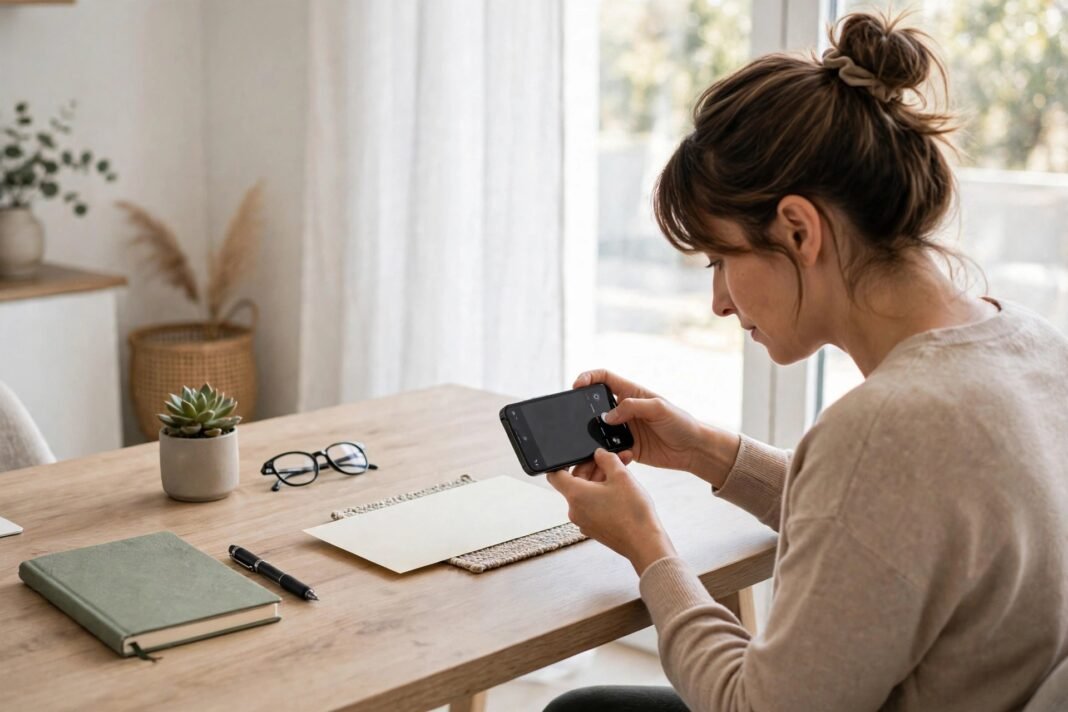
Mobile deposit lets you put a check into your bank account without a trip to a branch. Instead, you use your bank app and your phone camera. First, you open the app and choose the deposit option. Then, you take a clear photo of the front and back of the check. Finally, you confirm the amount and send it for review. As a result, a simple task that once took a whole trip can now take a few minutes at home.
However, a fast tool still needs care. A blurry photo can cause a delay. A missing signature can cause a rejection. In addition, a check kept carelessly after deposit can create risk. Therefore, it helps to learn the steps before you start. This guide explains the process in plain words. It also covers common mistakes, safety habits, and what to do when a deposit is held.
Before we start, one point matters. Banks do not all work in the same way. For example, limits can differ from bank to bank. Hold times can differ too. So, always check your own bank’s terms inside its app. This article gives general information only. It is not personal financial advice.
How Mobile Deposit Works Step by Step
Mobile deposit starts with your bank app. First, sign in as you normally would. Then, look for a deposit option in the menu. Next, choose the account where the money should go. After that, the app will ask for the amount written on the check. Type it with care, and check each digit twice.
Next, the app will ask for photos. Take a photo of the front of the check first. Make sure all four corners are in the frame. Then, turn the check over and take a photo of the back. The back usually needs your signature, also called an endorsement. Some banks also ask you to write a short note on the back, such as “for mobile deposit only.” So, follow the exact instruction shown in your app.
After you send the photos, the bank reviews the deposit. In addition, the app may show a confirmation screen. Keep that confirmation until the money appears in your account. Finally, check your balance after some time. If the amount looks wrong, contact your bank at once. Do not try to deposit the same check again.
Before You Take the Photo
Good light makes a big difference. First, place the check on a flat, dark surface. Then, move away from shadows and bright glare. Next, hold your phone steady above the check. As a result, the photo stays sharp and easy to read. A shaky hand, by contrast, can blur the numbers.
Also, check the check itself before you start. Make sure the name on it matches your account name. In addition, check the date and the written amount. If the words and the numbers do not match, stop and ask the sender for a new check. Similarly, a torn or damaged check may not scan well. In that case, a branch visit may be the safer choice.
Finally, sign the back before you take the second photo. Use a pen, not a pencil. Keep your signature inside the marked area. After that, add any note your bank asks for. A clear endorsement helps the bank accept the check without extra questions. If you are unsure what to write, check the help section in your app first. For more help on picking the right account for your needs, read how to choose the best bank account.
Common Mistakes That Delay a Mobile Deposit
Many delays come from small, avoidable errors. First, a common mistake is a blurry photo. The camera may focus on the table instead of the check. Therefore, tap the screen to focus on the check before you shoot. Second, a cut-off corner can cause trouble. The bank needs to see the full check, so keep all edges in view.
Third, a wrong amount can slow the process. For example, if you type one digit wrong, the bank may need to review the deposit by hand. So, read the amount aloud before you confirm it. Fourth, a missing signature is another frequent problem. Without it, the bank may reject the deposit. As a result, you lose time and must start again.
Fifth, some people deposit the same check twice by mistake. This can happen when the first attempt seems to fail. However, a second deposit of the same check can create a serious problem. Therefore, wait for a clear result before you try again. If the app shows an error, check your account activity first. Then, contact your bank if you are still unsure.
Keep Your Check Safe After You Send It
Your job does not end when you press send. First, keep the paper check in a safe place. Do not throw it away right away. Banks often ask you to keep it for a period of time. In addition, the exact period can vary, so check your bank’s guidance. A drawer or a folder at home works well for this purpose.
Next, mark the check in a simple way once it clears. For example, you can write “deposited” and the date on it. This step helps you avoid a second deposit by mistake. However, do not mark it before the money is in your account. After the deposit clears and the safe period ends, shred the check. Shredding protects your account details from misuse.
Also, keep the confirmation from your app. A screenshot or an email receipt can help if a question comes up later. Similarly, keep a note of the date and amount. Small records like these make it easier to solve a problem fast. For a simple plan on what to do with money once it lands, read how to build an emergency fund with a bank account.
What to Do If a Mobile Deposit Is Held or Rejected
A hold does not always mean something went wrong. Banks may hold a deposit for review for many reasons. For example, a large amount may need extra checks. A new account may also face longer review times. In addition, a photo that is hard to read can trigger a review. So, a hold is often a normal safety step, not a refusal.
First, read the message in your app with care. It may explain the reason and the next step. Then, check that you entered the amount correctly. Next, look at your photos if the app lets you review them. If a photo is blurry, you may need to deposit the check again only after the bank tells you to do so. Do not guess, and do not deposit it twice on your own.
If the deposit is rejected, the app should say why. Common reasons include a missing signature, a blurry image, or a check that cannot be accepted this way. In that case, fix the problem and try once more if the bank allows it. However, if the reason is unclear, contact your bank directly. Use the contact option inside the app or call the number on the back of your card. Keep your confirmation details ready for that call.
Safety Habits That Protect Your Money
Safety starts with your phone itself. First, lock your phone with a passcode or fingerprint. Then, keep your bank app updated. Updates often fix security problems. In addition, never sign in to your bank app on a shared or public phone. Your own device is always the safer choice.
Next, be careful with public Wi-Fi. A public network can be less safe than your home network or mobile data. Therefore, wait until you are on a trusted connection before you deposit a check. Similarly, never share your bank login details with anyone. A real bank will not ask for your password by text or email.
Also, watch out for fake messages about deposits. A scammer may send a message that looks like it comes from your bank. However, a link in such a message can lead to a fake site. So, open your bank app directly instead of tapping links in messages. Finally, check your account often. Early checks help you spot an error while it is still easy to fix.
When a Branch Visit Still Makes Sense
Mobile deposit suits many everyday checks. However, some cases still suit a branch visit better. For example, a damaged check may scan poorly. A very large check may also need in-person review. In addition, a check in a name that does not match your account may need staff help. In these cases, a branch visit can save time in the end.
Similarly, if you need cash at once, a branch may suit you better. A mobile deposit puts money into your account, but it does not give you cash in hand. Also, if your phone camera is broken, do not struggle with blurry photos. A branch scanner will read the check clearly. As a result, you avoid a rejection and a repeat visit.
Finally, think about your own comfort level. Some people prefer to hand a check to a person and get a receipt at once. That choice is fully valid. Banking tools should fit your life, not the other way round. If you are thinking of changing banks for better tools, read how to switch banks without the hassle. In short, use mobile deposit when it fits, and use a branch when it does not.
Mobile deposit can make banking simpler and faster. Clear photos, a correct amount, and a careful signature go a long way. In addition, safe storage and quick checks protect you after the deposit. So, take your time on the first few deposits. Soon, the steps will feel natural.
Have you tried depositing a check from your phone yet, and what part of the process felt hardest the first time? Share your experience in the comments, and tell us which tip helped you most.